Church background check authorization form
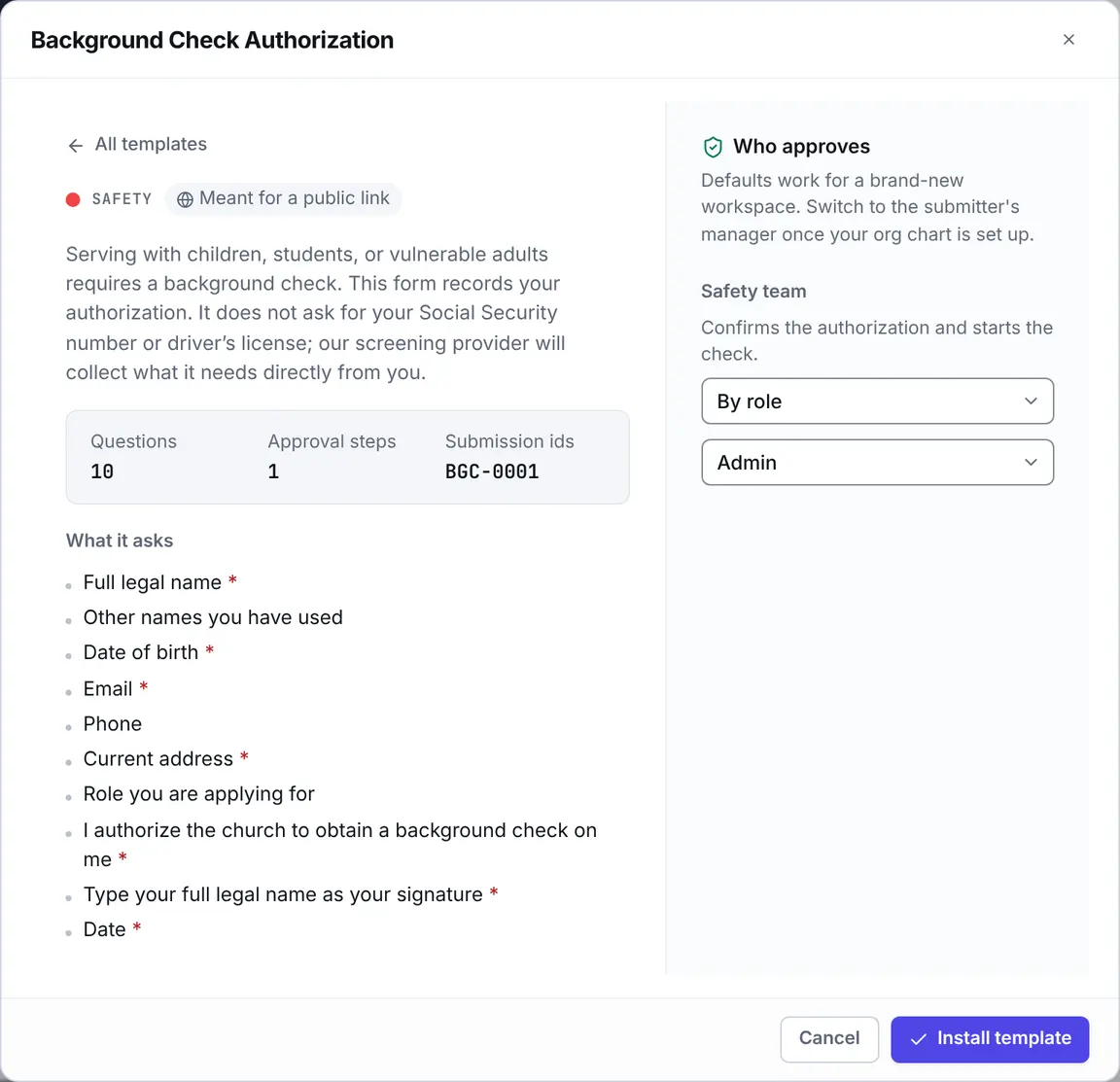
Eklo’s Background Check Authorization template is a church background check authorization form meant for a public link. It records an applicant’s consent to a background check before you run it with your screening provider. It asks for their legal name, date of birth, contact details and address, and a typed signature. It doesn’t ask for a Social Security number or driver’s license.
- 10 questions
- 1 approval step
- Meant for a public link
- References like BGC-0001
The approval path
Steps run in order, and a decline ends the request, so later steps don’t run. When you install the template, you choose who decides each one. Nobody can approve their own request: when nobody else can decide a step, your workspace owners and admins decide it.
Safety team acknowledgment
Safety team. Confirms the authorization and starts the check.
By default, anyone with the Admin role decides.
Every request.
Who it suits
- Churches that require background checks for anyone serving with children, students or vulnerable adults.
- Safety teams and kids ministry directors who need a record that each person authorized the check.
- Churches that run checks through a screening provider and want consent collected before they start one.
What the form asks
10 questions, 7 of them required. Add, remove or reword any of them in the form builder.
Full legal name
Short text · RequiredOther names you have used
Short textMaiden names, previous married names, or nicknames used on records.
Date of birth
Date · RequiredEmail
Email · RequiredPhone
PhoneCurrent address
Long text · RequiredRole you are applying for
Short text
I authorize the church to obtain a background check on me
Yes or no · RequiredType your full legal name as your signature
Short text · RequiredDate
Date · Required
Questions
Does Eklo run the background check?
No. Eklo records the authorization. Your church runs the check with its own screening provider, which collects anything else it needs directly from the applicant.
Why doesn’t the form ask for a Social Security number?
A church doesn’t need to hold it. Your screening provider collects it directly, so it never sits in your forms.
Can we change the authorization wording?
Yes. The wording is in the form’s Authorization section, and you can edit it in the builder. Check it with your screening provider, and your lawyer if you have one, before you publish the form.
Who can see the answers?
The safety team members asked to acknowledge it, the form’s owner and editors, your workspace owners and admins, and anyone who can open a task it is attached to. Applicants submit through the public link and never see anyone else’s answers.