Church incident report form
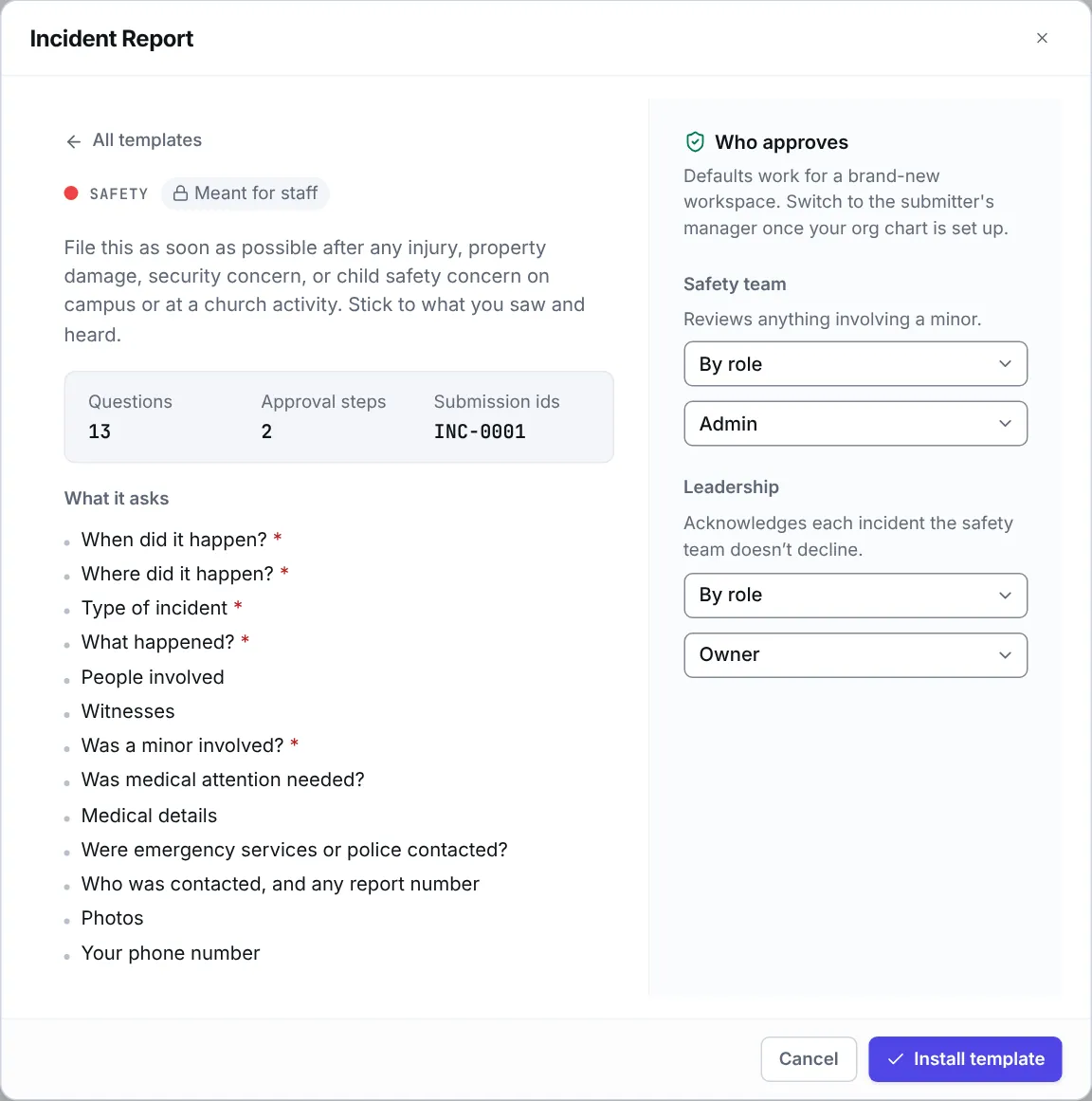
Eklo’s Incident Report template is a church incident report form for injuries, property damage, security concerns and child safety concerns. It asks when and where it happened, what happened, who was involved and whether medical help or the police were called. Anything involving a minor goes to the safety team first. Leadership then acknowledges it, unless the safety team declines it.
- 13 questions
- 2 approval steps
- Meant for staff
- References like INC-0001
The approval path
Steps run in order, and a decline ends the request, so later steps don’t run. When you install the template, you choose who decides each one. Nobody can approve their own request: when nobody else can decide a step, your workspace owners and admins decide it.
Child safety review
Safety team. Reviews anything involving a minor.
By default, anyone with the Admin role decides.
Only when “Type of incident” is Child safety concern, or “Was a minor involved?” is Yes.
Leadership acknowledgment
Leadership. Acknowledges each incident the safety team doesn’t decline.
By default, anyone with the Owner role decides.
Every request that gets this far.
Who it suits
- Churches that want every incident written down the same day, in the same place.
- Safety and security teams, kids ministry directors and the staff member who handles insurance.
- Staff and volunteers in your workspace on a Sunday or at an event, who can file from their phone.
What the form asks
13 questions, 5 of them required. Add, remove or reword any of them in the form builder.
When did it happen?
Date and time · RequiredWhere did it happen?
Short text · RequiredType of incident
Choose one · RequiredOptions: Injury, Property damage, Child safety concern, Security or threat, Medical emergency, Vehicle, Other.
What happened?
Long text · RequiredDescribe the sequence of events in order. Facts only.
People involved
Long textNames and roles, for example volunteer, guest, staff, child.
Witnesses
Long textWas a minor involved?
Yes or no · RequiredWas medical attention needed?
Yes or noMedical details
Long textAsked only when “Was medical attention needed?” is Yes.
Were emergency services or police contacted?
Yes or noWho was contacted, and any report number
Long textAsked only when “Were emergency services or police contacted?” is Yes.
Photos
File upload, up to 5Your phone number
Phone
Questions
Should someone file a report before calling for help?
No. Call emergency services first and take care of the people involved. File the report as soon as you can afterwards.
What happens when a minor is involved?
If the incident is a child safety concern, or the reporter says a minor was involved, the report goes to the safety team first. If they decline it, the request ends there and leadership isn’t asked. Eklo doesn’t report to authorities for you: follow your church’s child safety policy and the law where you are.
Who can see incident reports?
People who file a report see only their own. The people asked to review a report can open it. The form’s owner and editors, and your workspace owners and admins, see every report, as does anyone who can open a task a report is attached to. List your safety team as editors.
Can people attach photos?
Yes, up to five. The form also asks for witnesses and the reporter’s phone number, so whoever follows up can reach them.